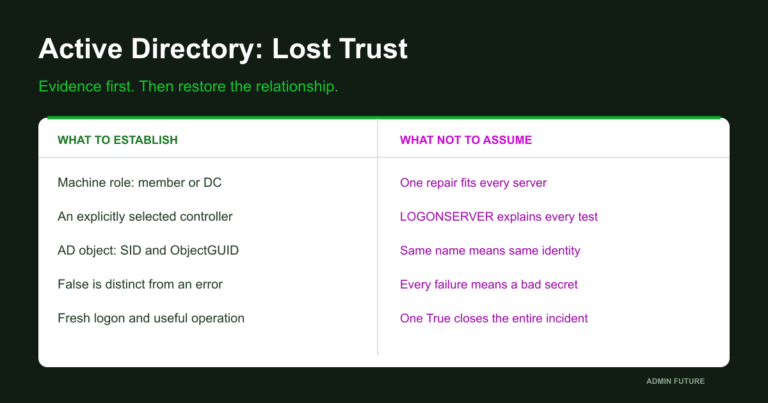
At nine in the morning, users stop signing in to the domain. Shared folders fail next, then Group Policy stops applying. The internet still works and the domain controller answers ping, while another controller is several minutes behind. This is one of the most unpleasant Windows infrastructure incidents because it rarely looks like one clean failure.
Active Directory is a chain: DNS, domain-controller discovery, time, Kerberos, replication, SYSVOL and Group Policy. This guide follows that chain from the first observable fact to recovery. The goal is not to memorize a magic command, but to find the exact dependency that failed.
1. Start with facts, not theories
“The domain is broken” is not a diagnosis. Record who cannot log on, which subnets are affected, whether cached logon works, whether SYSVOL and NETLOGON are reachable, which controller the client selects and whether clocks agree.
Do not start by removing a computer from the domain. If the cause is DNS or time, rejoining only hides the symptom and makes the real investigation harder.
2. DNS is the foundation of controller discovery
A client discovers a controller through DNS SRV records. A successful ping or ordinary web lookup therefore proves very little. LDAP and Kerberos records must exist, and the responding resolver must be internal DNS rather than a router or public resolver.
ipconfig /all
nslookup -type=SRV _ldap._tcp.dc._msdcs.example.local
nslookup -type=SRV _kerberos._tcp.example.local
nltest /dsgetdc:example.local
nltest /dclist:example.local
Replace example.local with the real domain name. The DNS server that answered is as important as the answer itself. If the client queries outside DNS, inspect DHCP, static settings and VPN DNS configuration.
dcdiag /test:dns /v
dcdiag /test:DNS /DnsRecordRegistration
ipconfig /registerdns
net stop netlogon
net start netlogon
Restarting Netlogon registers service records again. It is a diagnostic action, not a universal repair: if the zone or DNS replication is wrong, the incident remains.
3. The controller is found, but services are unreachable
Active Directory is not only LDAP on port 389. Normal operation may require DNS, Kerberos, LDAP, SMB, RPC Endpoint Mapper and dynamic RPC ports:
Test-NetConnection dc01.example.local -Port 53
Test-NetConnection dc01.example.local -Port 88
Test-NetConnection dc01.example.local -Port 389
Test-NetConnection dc01.example.local -Port 445
Test-NetConnection dc01.example.local -Port 135
Test-NetConnection dc01.example.local -Port 464
A successful TCP test proves one port is reachable. It does not prove that Kerberos or replication is healthy, but it shows where the network ends and the directory-service investigation begins.
4. Time: a few minutes that break Kerberos
Kerberos allows only limited clock skew. After a snapshot restore or NTP failure, DNS may work while authentication fails.
w32tm /query /status
w32tm /query /source
w32tm /monitor /computers:dc01.example.local,dc02.example.local
netdom query fsmo
The PDC Emulator role holder is the authoritative time source for the domain hierarchy. Do not point every machine at external NTP before understanding the existing design. After correcting the source:
w32tm /resync /rediscover
gpupdate /force
5. Kerberos: proving that a ticket was not issued
Kerberos usually reports an earlier dependency failure: the wrong controller was selected, clocks disagree, DNS returns a stale address, an SPN points to the wrong account or the computer password differs from the directory.
klist
klist purge
klist get host/dc01.example.local
whoami /all
klist purge does not repair the domain. It removes old tickets and forces new requests, turning a vague symptom into a testable fact. Review the System, Security and Directory Service logs.
6. Replication: controllers are diverging
Ping between controllers says nothing about whether they see the same directory data. Check partners, direction and naming contexts:
repadmin /replsummary
repadmin /showrepl * /csv
repadmin /queue
dcdiag /test:replications /v
netdom query dc
Do not force replication before checking DNS, time and RPC. Otherwise the command only adds noise. Once dependencies are healthy:
repadmin /syncall dc01.example.local /AdeP
repadmin /replsummary
7. SYSVOL and Group Policy
Sometimes logon works again but policies and scripts do not. Check the shares and generate a report:
dir \\dc01.example.local\SYSVOL
dir \\dc01.example.local\NETLOGON
gpresult /h C:\Temp\gpresult.html
gpupdate /force
Do not manually copy SYSVOL between controllers before understanding the cause. Check DFSR state first:
dfsrmig /getglobalstate
dfsrmig /getmigrationstate
dcdiag /test:sysvolcheck /test:advertising
The gpresult report shows denied policies, security filtering and the last processing time, not just a list of GPO names.
8. When a workstation loses domain trust
The secure channel fails when the computer-account password in the directory no longer matches the local copy. Snapshots, clones and long offline periods are common causes. Repair it only after DNS, time and controller access are healthy:
Test-ComputerSecureChannel -Verbose
Test-ComputerSecureChannel -Repair -Credential (Get-Credential)
Reset-ComputerMachinePassword -Server dc01.example.local -Credential (Get-Credential)
Removing the workstation from the domain and joining it again is a last resort. Check local profiles, certificates, services and configuration before doing it.
9. A calm recovery sequence
- Record symptoms, start time, subnets and selected controllers.
- Check internal DNS, SRV records and controller discovery.
- Check DNS, Kerberos, LDAP, SMB and RPC connectivity.
- Compare clocks and time sources.
- Check Netlogon, KDC, DNS, DFSR and AD DS.
- Check replication and failing partners.
- Check SYSVOL, NETLOGON and GPO processing.
- Only then repair workstation secure channels.
- Test a new logon, password change, share access and policy application.
This order is faster than random restarts because every step removes a class of possible causes and leaves evidence of the result.
10. Healthy-domain checklist
- clients use internal DNS;
- LDAP and Kerberos SRV records are registered;
- time follows a documented hierarchy;
- replication has no old unexplained errors;
- SYSVOL and NETLOGON are reachable;
- System State is backed up and recovery is tested;
- AD DS, DNS, DFSR, Netlogon and Security are monitored;
- an emergency account and documented access procedure exist.
Conclusion
An Active Directory outage is usually a broken dependency: the client cannot find a controller, DNS returns the wrong address, time breaks Kerberos, replication fails to deliver a change or SYSVOL cannot serve a policy.
The administrator’s essential skill is rebuilding the chain with evidence: discovery, network and time, Kerberos, replication, SYSVOL and only then local workstation repair. When the domain “breaks”, do not ask which service to restart. Ask which next step the client cannot complete.